
Life360 Alternatives for Couples Apart
Looking for a Life360 alternative for couples? Compare live location, arrival-only check-ins and apps that share distance instead of exactly where you are.
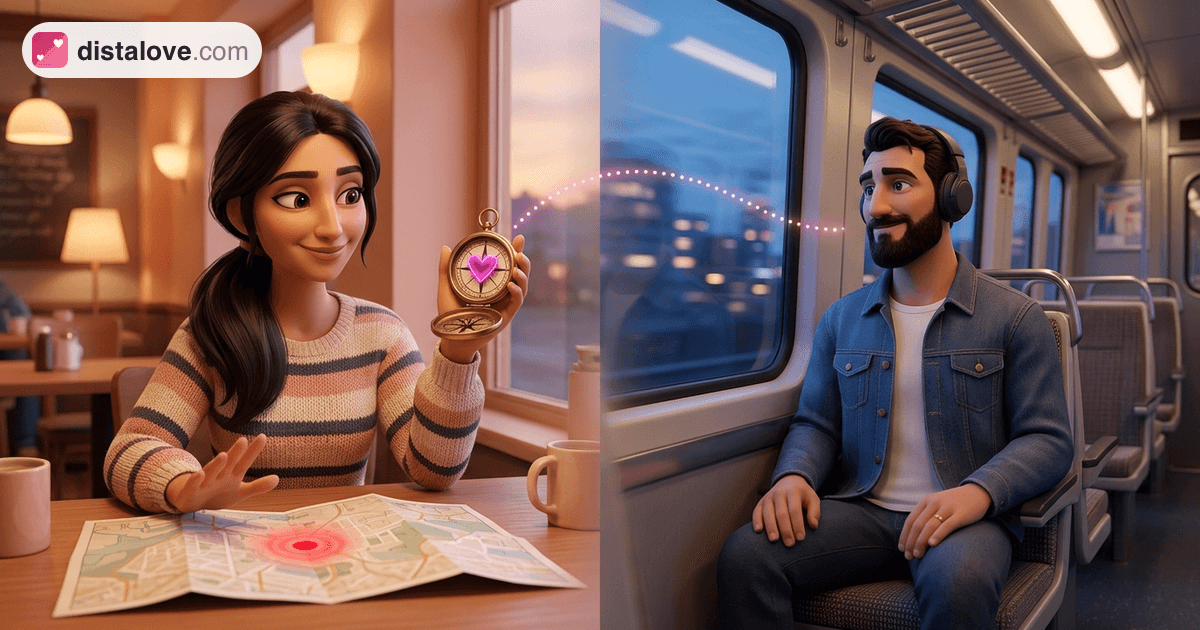
Life360 and Find My are good at what they were built for: showing exactly where someone is. Many couples, especially long distance ones, start looking for a Life360 alternative for couples because they want something smaller. They want to know their partner landed, or simply feel how far apart they are, without a dot on a map they can check twenty times a day.
The best option depends on which of those you actually need. There are three realistic options: share arrivals instead of a live location, use an app that shares distance rather than location, or share nothing automatically and agree on a habit instead. This guide walks through each, using details from official listings and help pages checked in October 2026.
What Life360 and Find My Are Built For
Life360 describes itself on the App Store as "Family Safety & GPS", with the subtitle "Find Your Phone, Kids, & Pets". According to its App Store listing, the free app includes location sharing, while paid tiers add Place Alerts, location history (2 days on Silver, 30 days on Gold), crash detection and driving reports. It is a family safety product, and it is clearly designed around parents and households.
Find My is Apple's built-in option. Apple's location sharing guide explains that you can share for an hour, until the end of the day, or indefinitely. The people you share with can set a notification for when you arrive at or leave a place of their choosing, and the person you stop sharing with is not notified.
Both are reliable tools, just not designed with romance in mind.
Why Couples Look for a Life360 Alternative
The common complaint is not about safety. It is about what a precise, always-on dot does to a relationship over months.
- Detail invites checking. A map answers questions you did not mean to ask: why is the dot at that address, why has it not moved?
- Gaps become accusations. A phone that dies or loses signal can look like hiding.
- History changes the tone. Being able to scroll back through someone's day is a different thing from knowing they are safe now.
Research backs up the unease. A 2025 study of 434 people in romantic relationships who use location sharing apps found that heavier use was linked to more mate-guarding, and that feeling intruded on was linked to lower relationship satisfaction. People who had genuinely accepted being monitored felt less intruded on. Agreement matters more than the app.
For a broader look at checking and reassurance, see cheating fears in long distance and how to build trust across the distance.
Three Levels of Sharing, Compared
| Approach | What your partner sees | Good for | Watch out for |
|---|---|---|---|
| Live location (Life360, Find My) | Exactly where you are | Travel days, pickups, real safety needs | Checking, history, the off-switch problem |
| Arrival-only (Check In) | That you arrived, or a journey that stalled | Late nights, solo trips | Needs starting each time |
| Distance only | How far apart you are | Ambient closeness at a distance | Still needs location permission |
| Nothing automatic | What you choose to text | Couples who want full privacy | Relies on habit |
Option 1: Share Arrivals, Not Your Whole Day
If the real worry is "did you get home safely?", a live map is more than you need.
Check In in Messages. Apple's Check In guide explains that it notifies a friend automatically when your iPhone arrives, and only shares extra details if you do not arrive or respond as expected. It requires iOS 17 or later for both the sender and the recipient.
Time-limited Find My sharing. Sharing for an hour or until the end of the day covers a flight or a late train without turning into permanent access.
This suits couples who want safety without ambient visibility, and it has a clean ending.
Option 2: Apps That Share Distance, Not Location
The middle ground, and the Life360 alternative many long distance couples look for, is an app that turns location into a single number: how far apart you are. Your partner sees "412 km" rather than a street. For long distance couples, that number does something a map cannot. It makes the other person feel present without offering any detail to interrogate.
Several iPhone apps now offer a distance feature. According to their App Store listings, iFeely shows "the distance between you, your partner's local time and weather", Couple Joy lets you "track the distance between you and watch it shrink", and Widgetable has a Distance Widget for the lock screen. They differ in what else they include, from moods to shared pets, and in how they handle data. Read each app's privacy label and policy before deciding.
Distalove, our own app, was designed around this idea. It still needs your location to calculate the number, but no screen, widget or notification shows your partner's address or a pin on a map. You can pause sharing at any time, and your partner simply sees when it last updated.
Distance-only is not a safety tool. If you need to know someone reached a specific place, use Check In.
Option 3: Share Nothing Automatically
Some couples try every app and settle on a text: "landed", "home", "goodnight". It costs nothing, carries no data and works across any phone.
Treat it as a light ritual, not a rule; a missed "home" text usually means a dead battery. If you are setting up habits like this early on, surviving your first month apart covers which ones tend to last.
Questions to Ask Before You Switch
What exactly will my partner see? A pin, a distance, an arrival, or nothing.
Is there a history? Some apps keep days of past locations. Decide whether you want that to exist at all.
What does pausing look like? An alarming "stopped sharing" message and a neutral "updated 3 hours ago" create very different conversations.
Can either of us stop at any time? Sharing that one person cannot end is not mutual.
Why do we want it? Name the purpose out loud. "So I know you landed" and "so I know where you are" lead to different tools.
When Location Sharing Starts to Feel Like Control
If your partner insists on seeing where you are, gets angry when you turn sharing off, or checks your location to question you, that pattern matters more than any app choice. On iPhone, Safety Check (Settings > Privacy & Security > Safety Check) lets you review who can see your location. If you feel unsafe, consider talking to a local domestic abuse service or a counselor before changing anything, so you can plan safely.
Frequently Asked Questions
What is the best Life360 alternative for couples?
It depends on the need. Check In covers safe arrivals, time-limited Find My sharing covers travel days, and distance-only apps suit couples who want to feel close without seeing exact locations.
Is there an app that shows distance but not location?
Yes. Several couple apps on iPhone show the distance between partners as a number rather than a point on a map. They still use your location to calculate it, so check each app's privacy label.
Does Find My notify someone when you stop sharing?
According to Apple, the person you stop sharing with is not notified. They may still notice your location is missing, so it helps to talk about it first.
Is Life360 good for couples?
It is designed mainly for families, with features like Place Alerts, location history and driving reports. Some couples use it happily; others find that level of detail invites checking.
Can couples share location without it hurting trust?
Yes, when both people genuinely agree, the purpose is clear and either can stop without a fight. Research suggests that agreement matters more than the app itself.
Final Thoughts
Life360 and Find My answer the question "where are you?" very well. Most couples apart are asking something softer: "are you okay?" or "how far away are you right now?"
The right Life360 alternative is the tool that matches the question. Arrivals for safety, distance for closeness, a simple text for everything else, and an honest conversation before any of them.